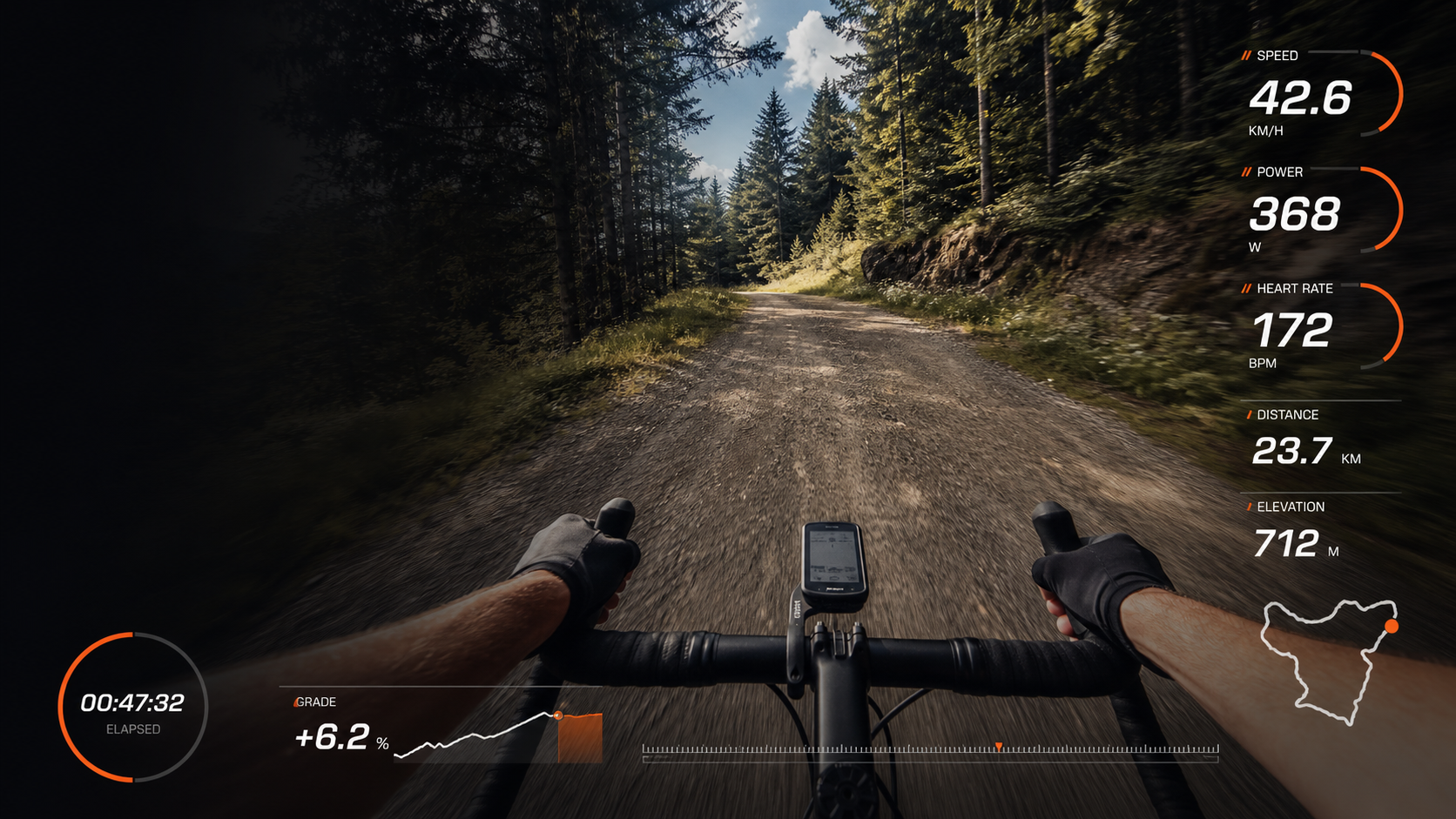
FIT/GPX -> transparent MOV
FATRACING TELEMETRY
Native application for Mac: download activity and video, synchronize by GPS or shooting time, assemble an overlay and export a transparent video for editing.
Fresh build: June 27, 2026· Apple Silicon · macOS 13+ ·4.3 MB
What he can do
- Opens .fit and .gpx activity.
- Shows speed, power, pulse, cadence, distance, time, altitude, gradient, GPS coordinates and track.
- Puts MP4/MOV in the preview, allows you to move and scale the video under the overlay.
- Synchronizes the video with the track by GPS metadata, and if there are no coordinates, by the shooting time.
- Includes a preset Cinema HUD with arcs, timer, progress bar and route.
- Exports transparent .mov with HEVC Alpha or ProRes 4444 Alpha.
Requirements
Mac on Apple Silicon: M1, M2, M3, M4 or newer. The minimum version of the system is macOS 13 Ventura.
The build is signed ad-hoc, without notarization: macOS may ask you to confirm the launch manually.
Quick start
How to set and create an overlay
-
01
Download DMG
Open the file FATRACING-Telemetry-Mac-AppleSilicon-macOS13-2026-06-27-2259.dmgand drag the application to Applications.
-
02
Launch the app
If macOS swears at an unknown developer, right-click on the application and select Open.
-
03
Upload an activity
Drag FIT or GPX to the application window or click "Open FIT/GPX". The export itself does not start.
-
04
Add a video
Download MP4/MOV as a backing, click "Sync." and check the result with the "Play" button.
-
05
Customizing the overlay
Select a preset, a segment, arrange widgets, correct signatures and colors, then click "Make MOV".
Which codec to choose
HEVC with alpha — compact file by default. Good for most quick scenarios.
ProRes 4444 with alpha — the file is larger, but the installers often see transparency without surprises. For Adobe Premiere, it's better to start with it.
If macOS writes "damaged"
Open Terminal and execute the command:
xattr -dr com.apple.quarantine "/Applications/FATRACING ТЕЛЕМЕТРИЯ.app"After that, launch the application again.